Auto-Calculated Data Points

  • Recognize calculated data points by their calculator icon

  • Understand why some indicators still look incomplete after you enter data

  1. How to Identify Calculated Data Points

After entering your monthly or quarterly data, some indicators may still appear incomplete because they are automatically calculated by the platform.

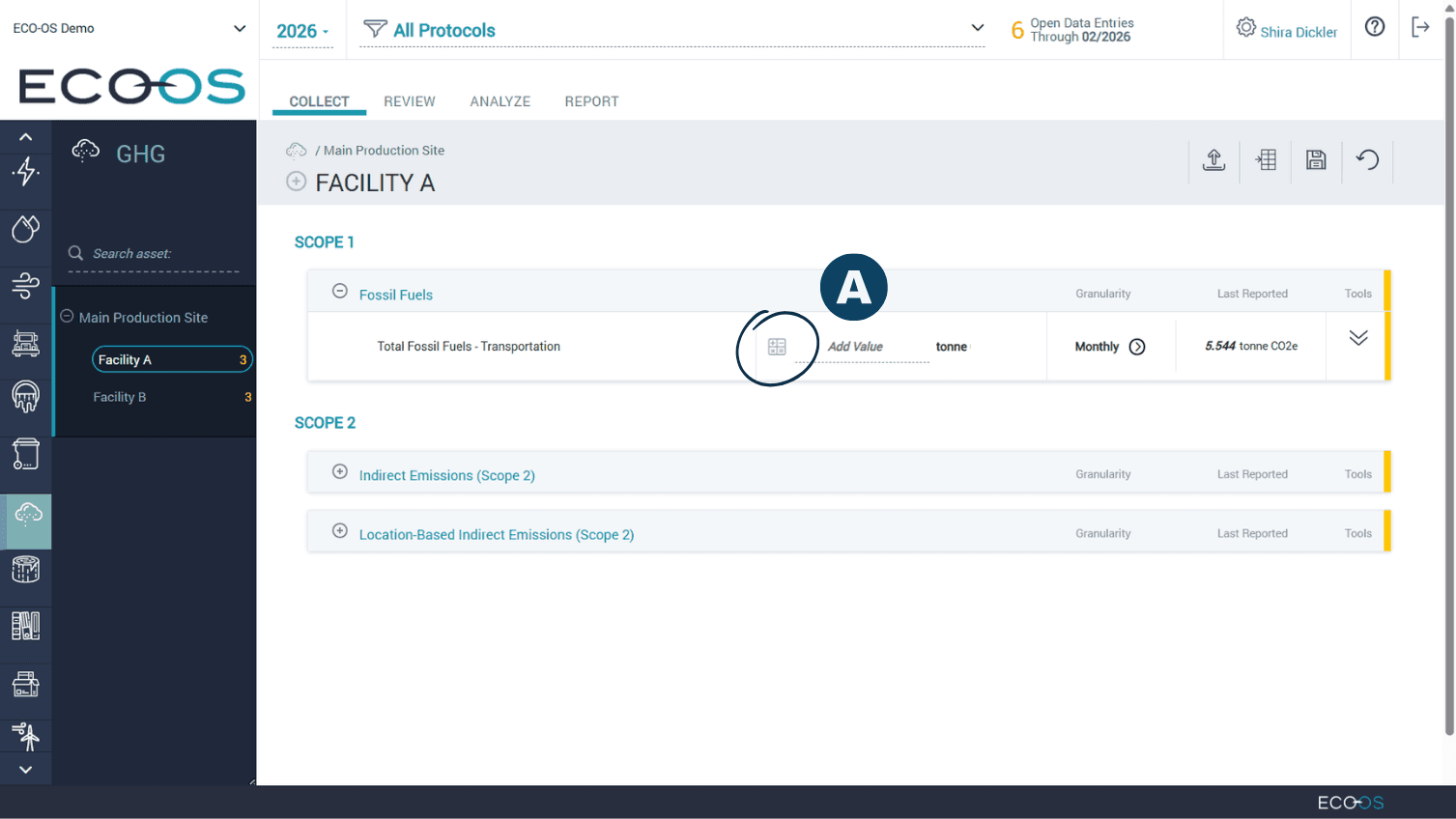
Calculated Data Points are marked with a calculator icon.

This icon indicates that the value will be automatically calculated by the system, based on other information you have already provided.

Note: Calculated data points will be filled in automatically.

If manually entering data in these datapoints, the datapoint must be locked, or else manually filled data will be overridden by automatic calculations.

It is recommended to not fill in the data manually.


  1. How to Identify Calculated Data Points

After entering your monthly or quarterly data, some indicators may still appear incomplete because they are automatically calculated by the platform.

Calculated Data Points are marked with a calculator icon.

This icon indicates that the value will be automatically calculated by the system, based on other information you have already provided.

Note: Calculated data points will be filled in automatically.

If manually entering data in these datapoints, the datapoint must be locked, or else manually filled data will be overridden by automatic calculations.

It is recommended to not fill in the data manually.


Have questions about this guide or need more support?
Check out the rest of the ECO-OS Academy content, or contact our support team: support@ecoos.co

Visit the Academy