Conversion Factor Supplement

In this guide, you’ll learn how to access and download the Conversion Factors Supplement from the Reports section, providing full transparency into the factors used across the ECO-OS Platform to calculate your results. You will likely be asked to produce this document when auditors or stakeholders need to understand and validate how your results were derived.


  1. Select Account and Year

From the home screen, select the account and year for which you'd like to download a conversion factors supplement.

Go to the Reports section in the main menu.

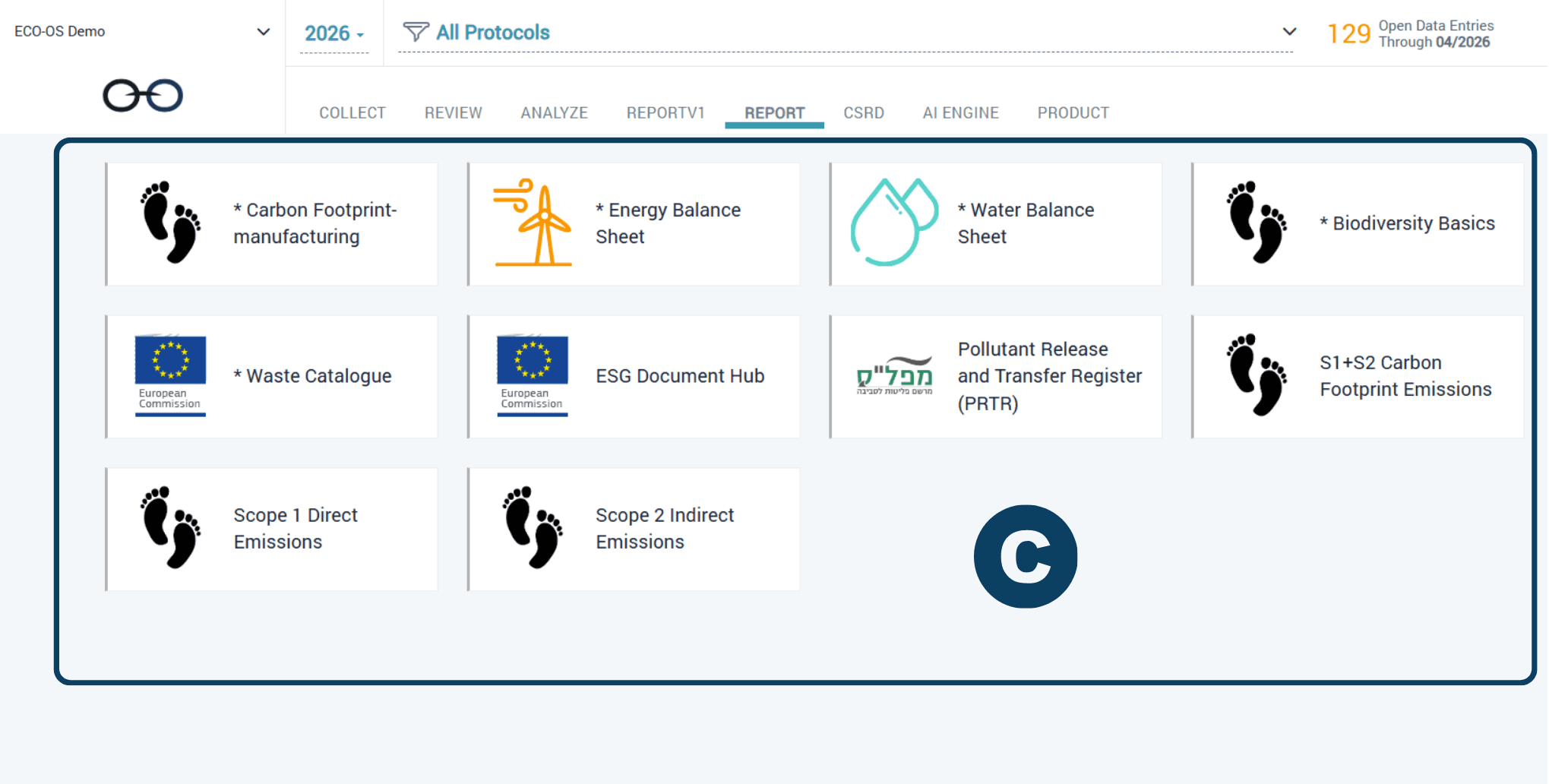
  1. Select Protocol

Select the relevant Protocol from the menu.

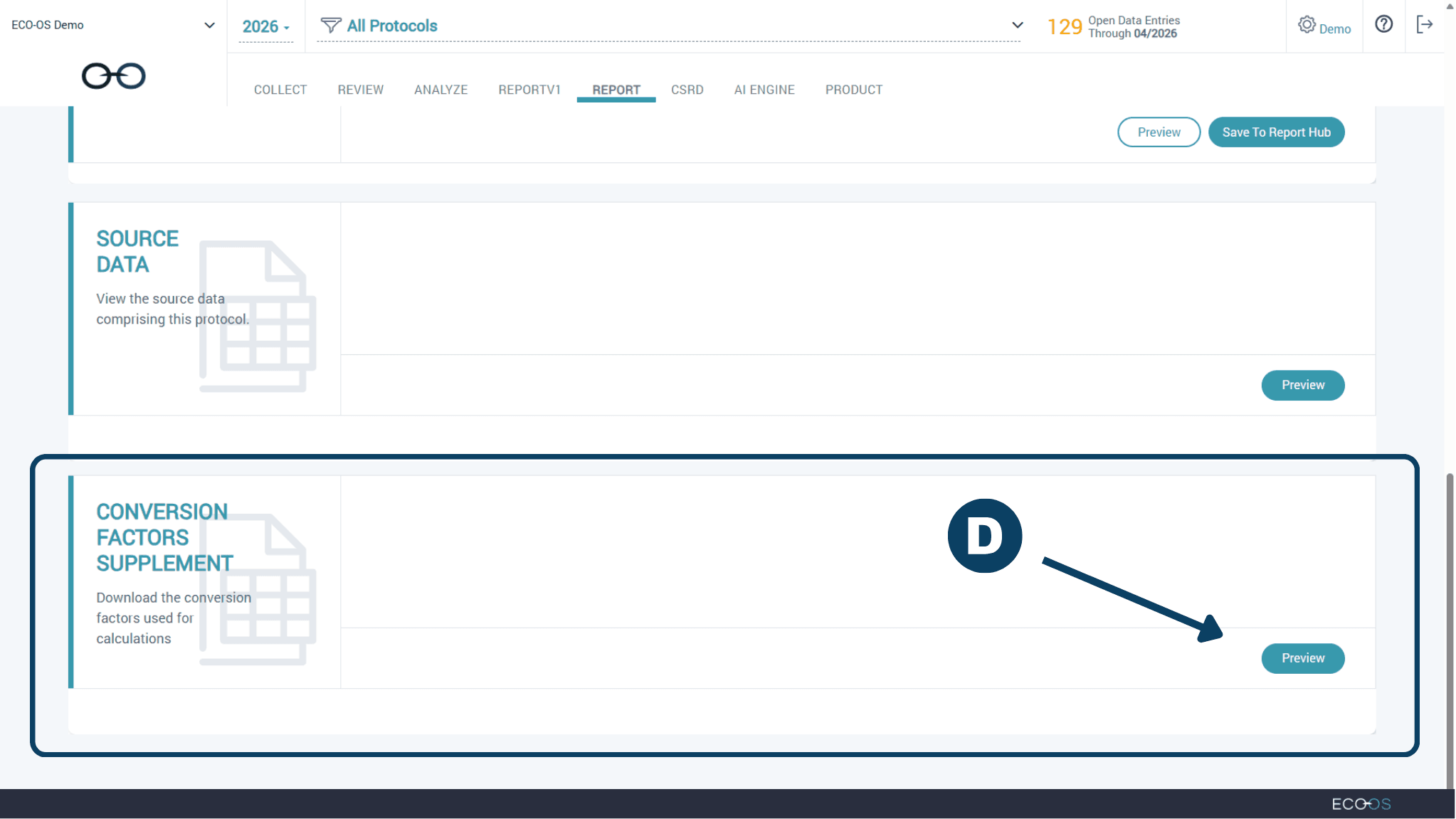
  1. Select "Conversion Factor Supplement"

Scroll down the page until you see Conversion Factors Supplement.

Click "Preview"


  1. Download File

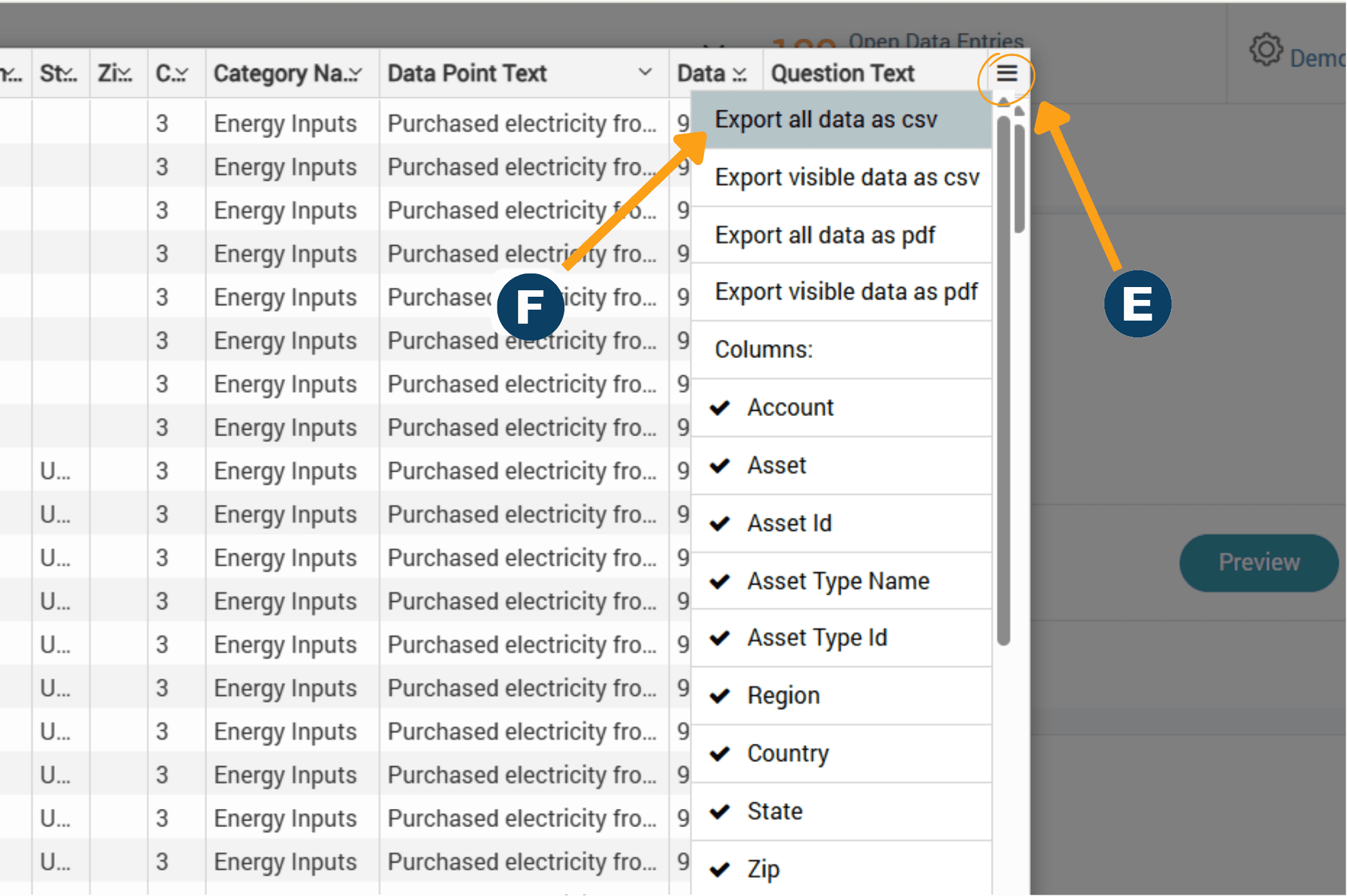
On the top right corner of the Preview, click the Hamburger icon (𑁔) to access the Download menu.

Select "Export all data as csv", and the file will download to your computer.


  1. Select Account and Year

From the home screen, select the account and year for which you'd like to download a conversion factors supplement.

Go to the Reports section in the main menu.

  1. Select Protocol

Select the relevant Protocol from the menu.

  1. Select "Conversion Factor Supplement"

Scroll down the page until you see Conversion Factors Supplement.

Click "Preview"


  1. Download File

On the top right corner of the Preview, click the Hamburger icon (𑁔) to access the Download menu.

Select "Export all data as csv", and the file will download to your computer.


Have questions about this guide or need more support?
Check out the rest of the ECO-OS Academy content, or contact our support team: support@ecoos.co

Visit the Academy

Subscribe to our Mailing List

Join our list for product news, expert-led webinars, industry updates, and insights from the blog— never spammy, always actionable. Unsubscribe anytime.