
Missing Data Indicators
Check your total open data entries on the home screen
Find the categories, sub-sections and data points with gaps in Collect
Use the orange and red alerts in Review’s Data Management section
Jump from an asset in Review straight to Collect to fill the gap
Visual Indicators (Alerts) for Open Data Entries in the Collect Module
| |
|---|---|
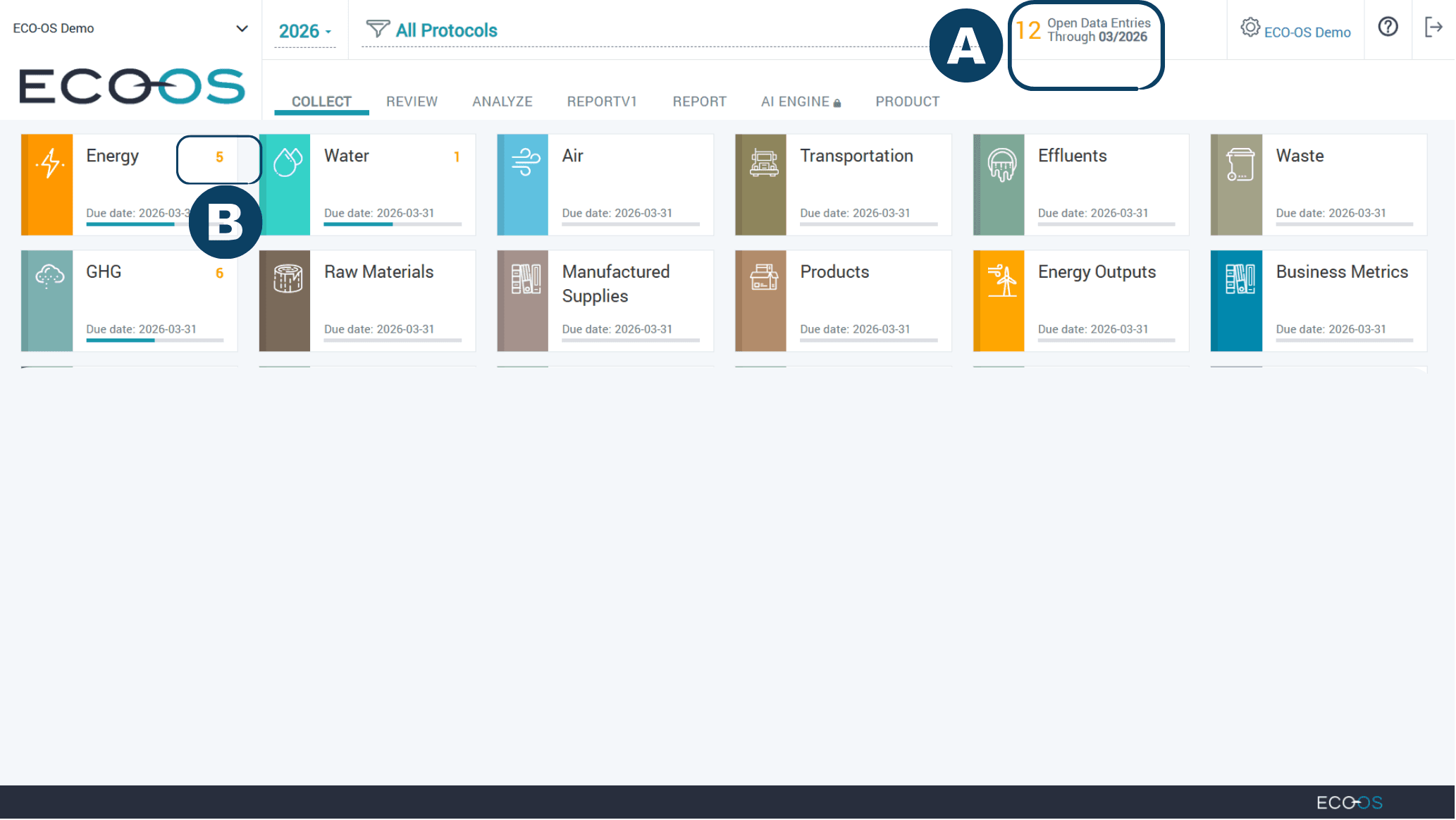
 | At the top of the home screen, you will see the Open Data Entries indicator. This number shows the total number of data entries that are still missing across your account for the selected year through the current month. The count is updated monthly. This helps you quickly see how much data still needs to be completed before reviewing individual categories. |
 | Each category that contains open data entries is marked with an indicator showing where data needs to be completed, as well as a bar to show your progress towards completion. |
 | |
| |
|---|---|
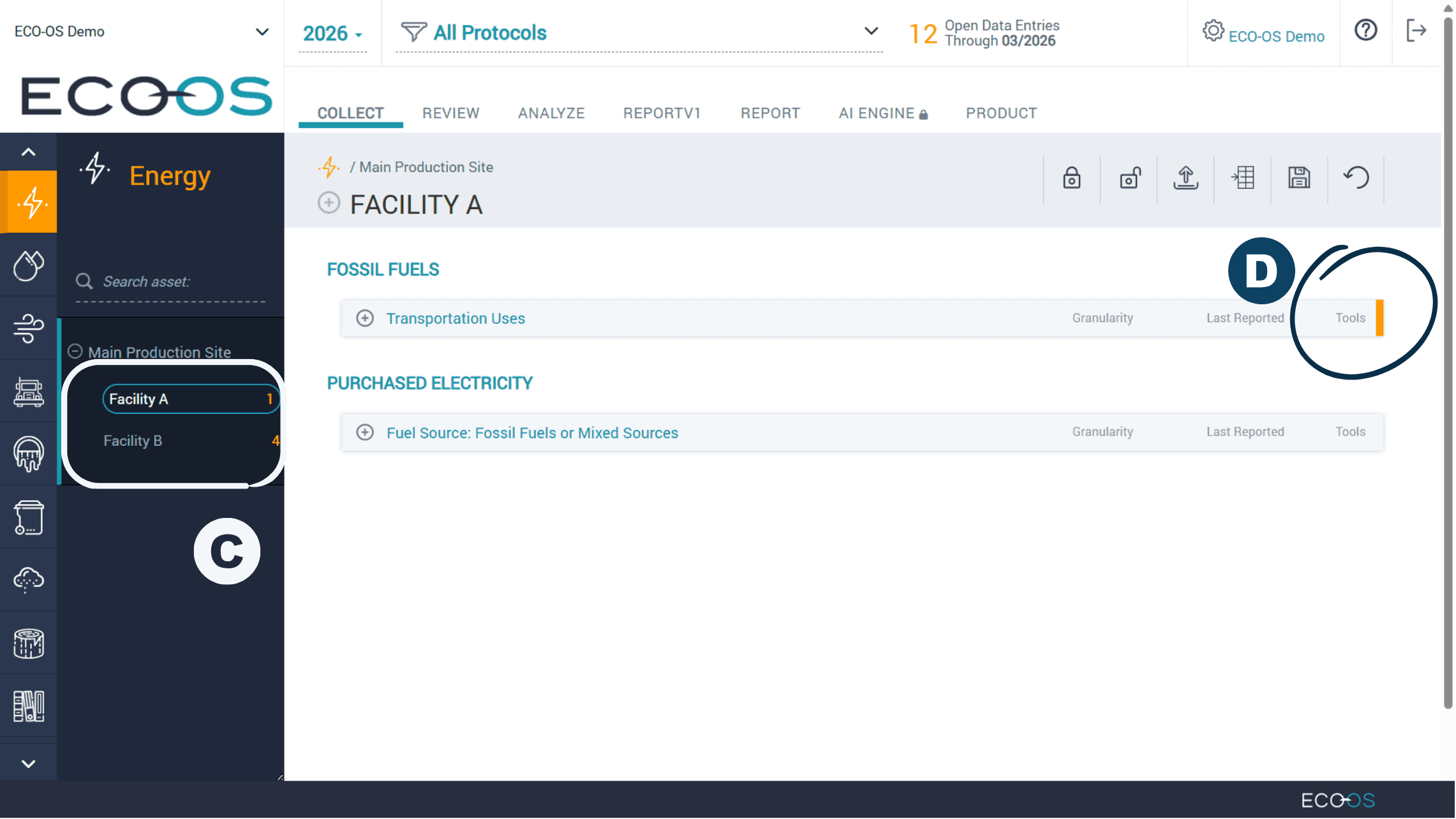
 | Clicking on a category will take you to the detailed view, where you can review the specific data points per asset within that category. The total sum of open data points per asset is listed next to each asset name. |
 | For each sub-section that contains data points with missing entries for one or more months, a vertical orange line will appear next to the sub-section. |
 | |
| |
|---|---|
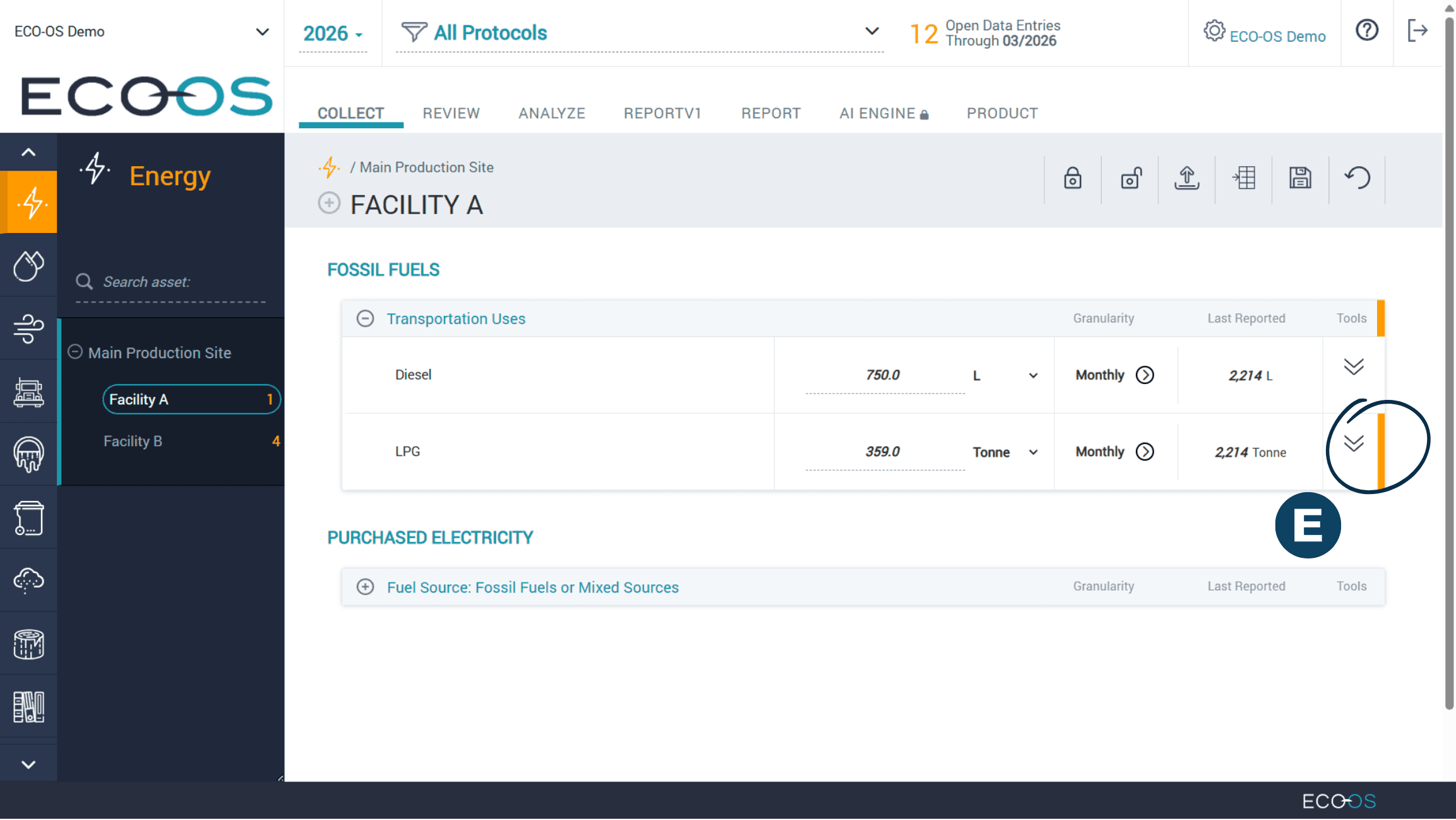
 | Expanding the sub-section will show which data point contains missing entries. |
 | |
Visual Indicators (Alerts) for Open Data Entries in the Review Module
| |
|---|---|
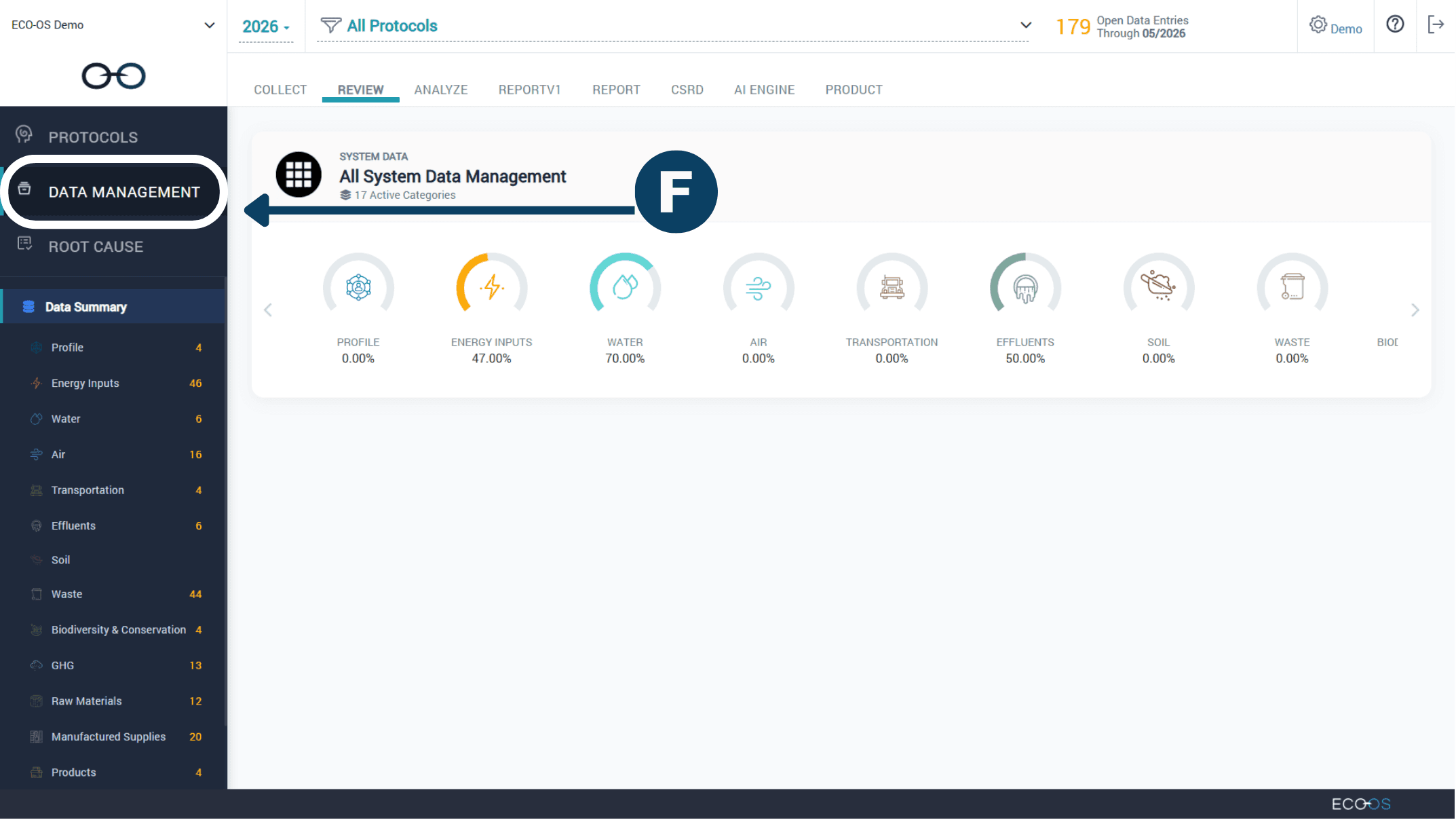
 | Within the Review Module, navigate to the "Data Management" section and select the relevant category you'd like to review. |
 | |
| |
|---|---|
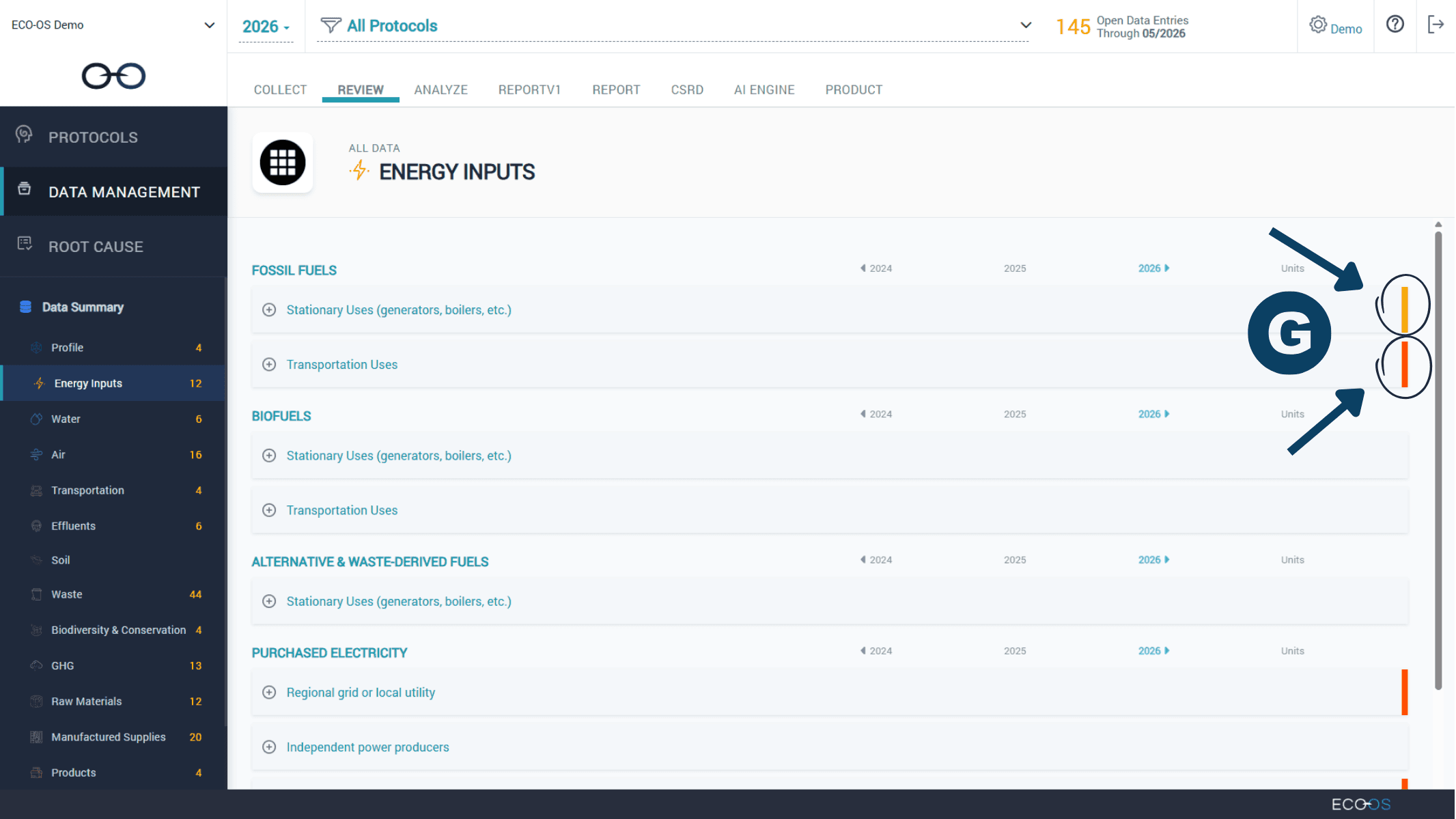
 | Each sub-section that contains data points with missing entries will have a color notation. Click on the sub-section to view which data points contain missing data. |
 | |
| |
|---|---|
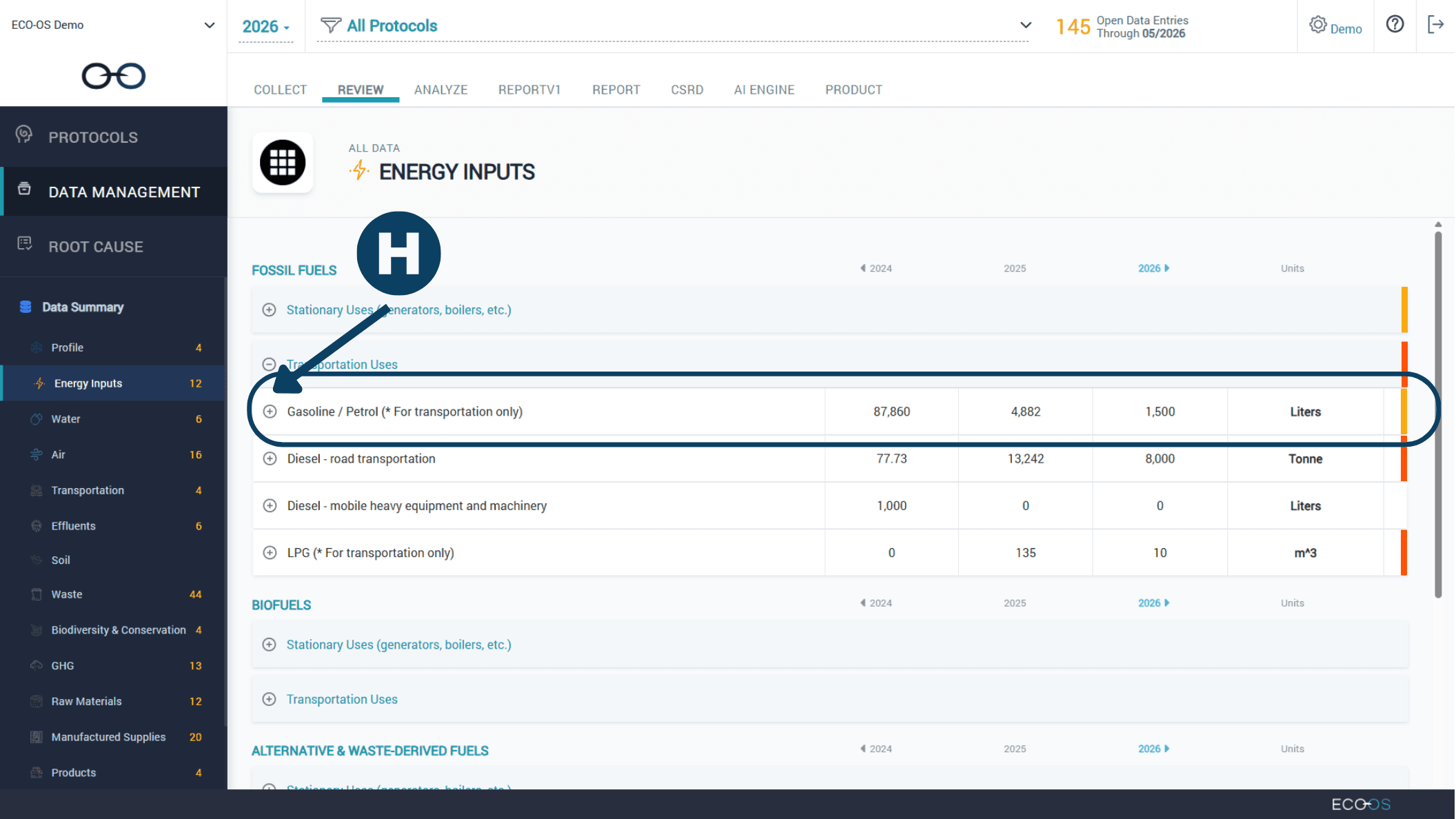
 | Select the data point to view the asset breakdown. |
 | |
| |
|---|---|
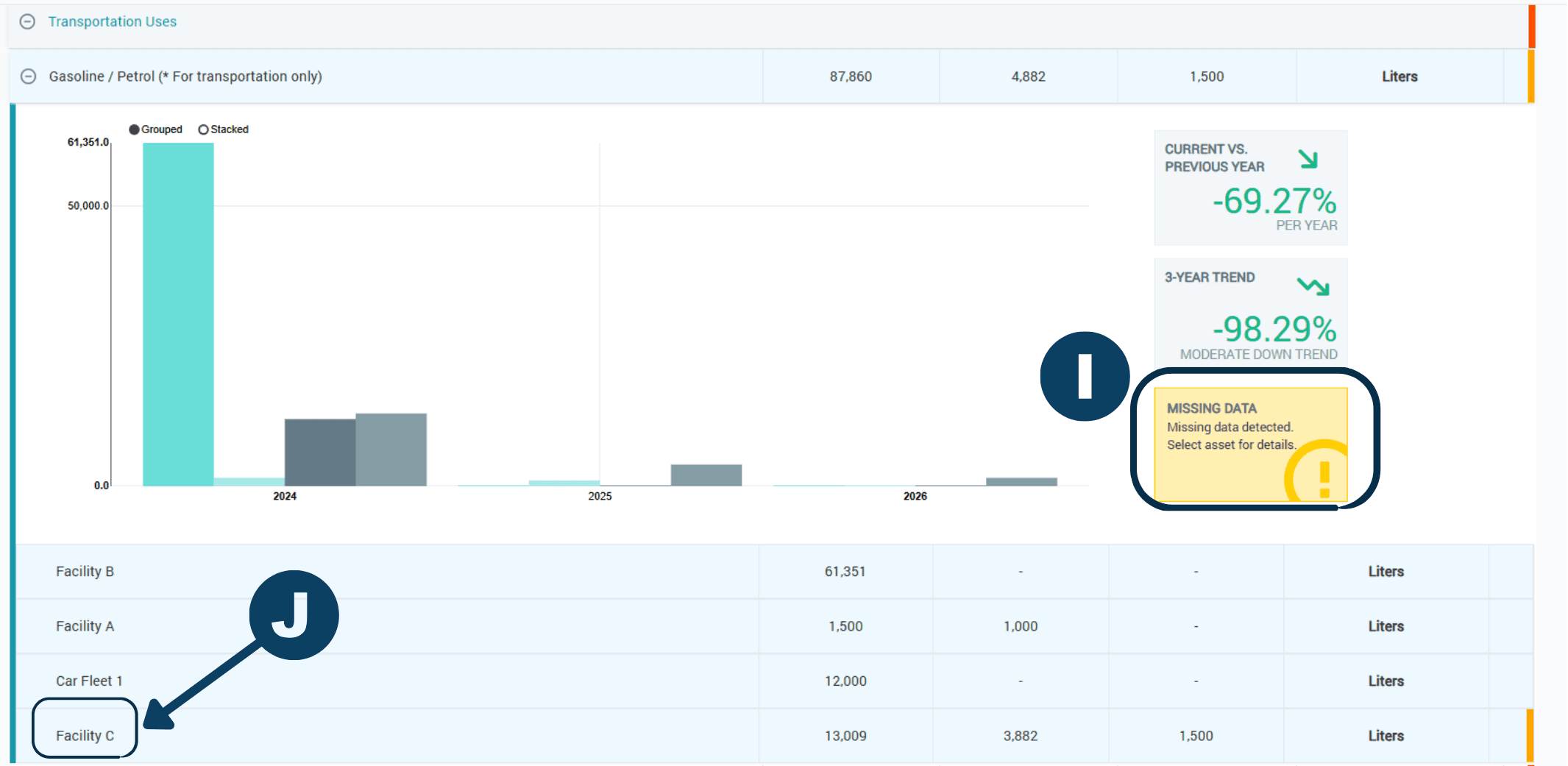
 | Within each data point, see which asset contains missing data. |
 | Clicking on the asset name will return you to the Collect Module to enter the missing data. |
 | |
| |
|---|---|
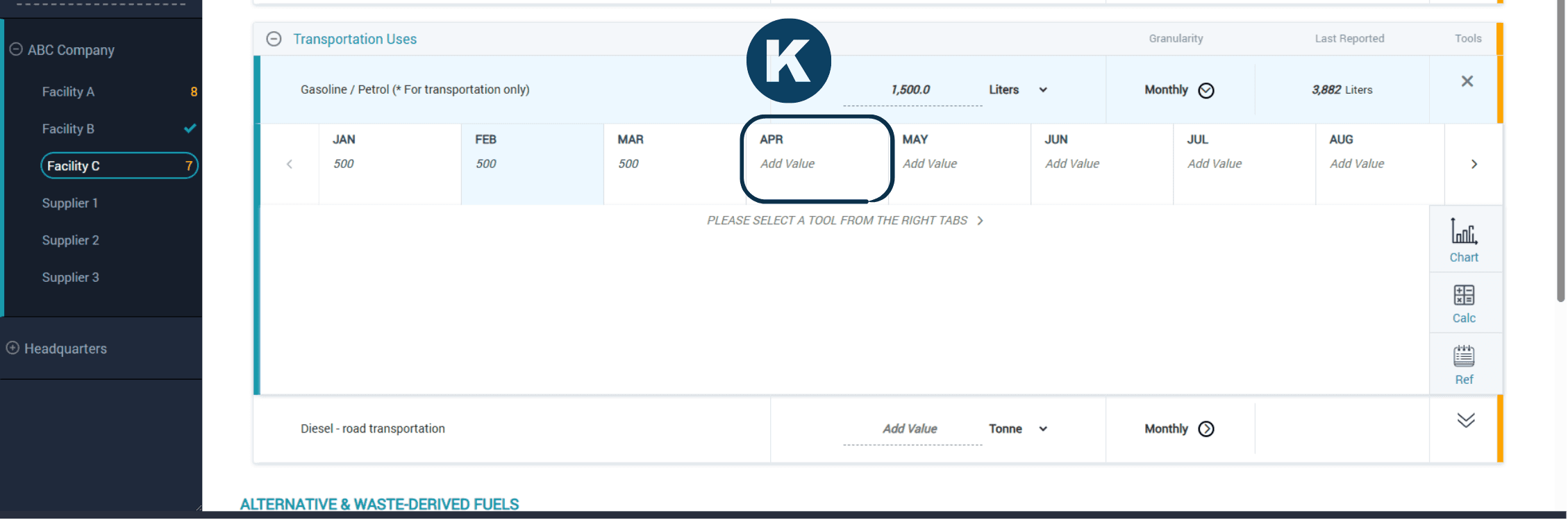
 | Complete the missing data. |
 | |
Visual Indicators (Alerts) for Open Data Entries in the Collect Module
| |
|---|---|
| At the top of the home screen, you will see the Open Data Entries indicator. This number shows the total number of data entries that are still missing across your account for the selected year through the current month. The count is updated monthly. This helps you quickly see how much data still needs to be completed before reviewing individual categories. |
| Each category that contains open data entries is marked with an indicator showing where data needs to be completed, as well as a bar to show your progress towards completion. |
| |
| |
|---|---|
| Clicking on a category will take you to the detailed view, where you can review the specific data points per asset within that category. The total sum of open data points per asset is listed next to each asset name. |
| For each sub-section that contains data points with missing entries for one or more months, a vertical orange line will appear next to the sub-section. |
| |
| |
|---|---|
| Expanding the sub-section will show which data point contains missing entries. |
| |
Visual Indicators (Alerts) for Open Data Entries in the Review Module
| |
|---|---|
| Within the Review Module, navigate to the "Data Management" section and select the relevant category you'd like to review. |
| |
| |
|---|---|
| Each sub-section that contains data points with missing entries will have a color notation. Click on the sub-section to view which data points contain missing data. |
| |
| |
|---|---|
| Select the data point to view the asset breakdown. |
| |
| |
|---|---|
| Within each data point, see which asset contains missing data. |
| Clicking on the asset name will return you to the Collect Module to enter the missing data. |
| |
| |
|---|---|
| Complete the missing data. |
| |
Have questions about this guide or need more support?
Check out the rest of the ECO-OS Academy content, or contact our support team: support@ecoos.co
Visit the Academy