
Walkthrough Guide:
From the home screen, navigate to the "Report" tab. Then select the protocol for which you'd like to generate a report.
Scroll down to the Granular Results section.
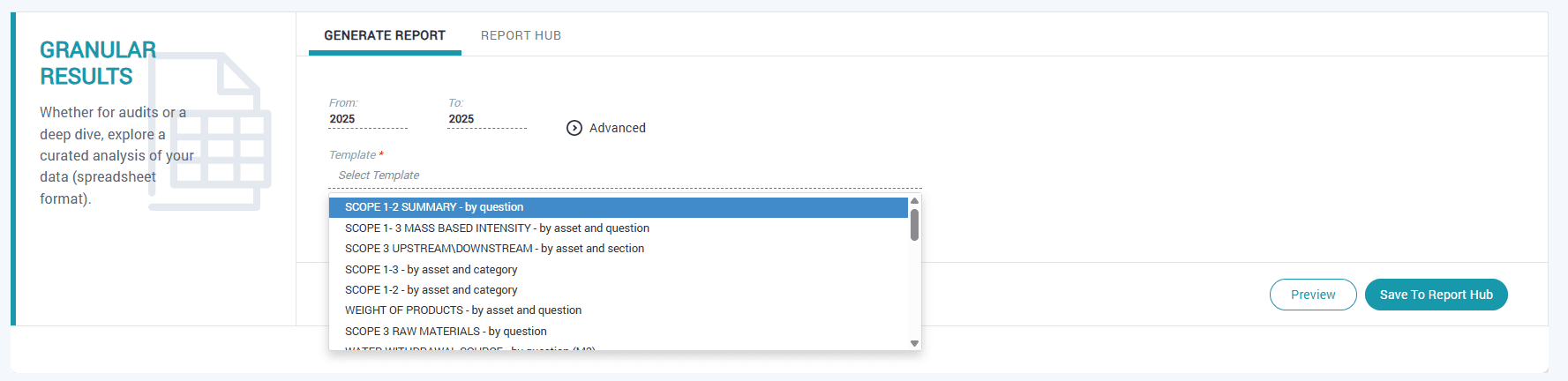
Report Templates allow you to download a specific sub-set of your data, such as a high-level summary, a breakdown by asset type, and more. Click on "Select Template" to see which pre-configured report formats are available. (You can also download a full, unfiltered flat file of your entire dataset by selecting "Full Report".)
After selecting your template, you can click "Preview" to see the data without downloading, or you can "Save to Report Hub" and receive an email notification when the report is ready for download from the "Report Hub".
Return to the Report Protocol you originally selected and enter the "Report Hub" to download your awaiting report.
Have questions about this guide or need more support?
Check out the rest of the ECO-OS Academy content, or contact our support team: support@ecoos.co
Visit the Academy